
How to Enable Cookies in SAFARI

 Posted under:
 If you are a safari browser user please follow these guide lines to enable cookies in your browser.
Safari 4.0
Step 1
1. Click on the “Cog” icon appearing in the right corner of the browser window.
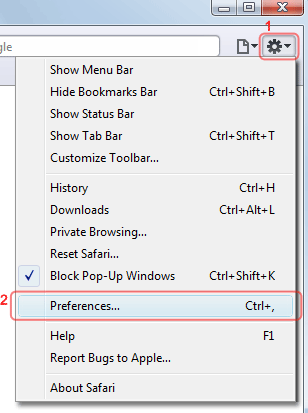
2.Click on the preferences from the drop down menu.
Step 2
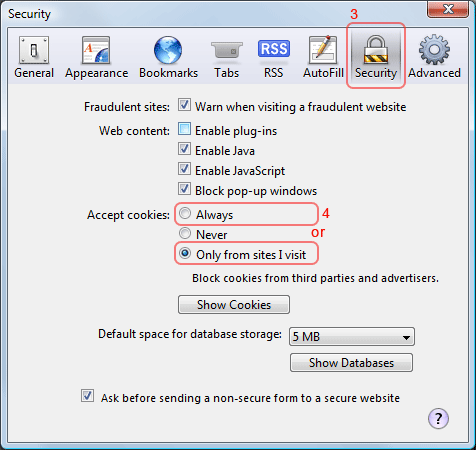
1.you will get a pop up window titled “Security”.
Change the selection to security tab
Step 3
You have two options .you can allow cookies from all sites or only from sites you visit.
To do so under “Accept cookies label” enable either “Allow” option or “ Only
Tags: homepost